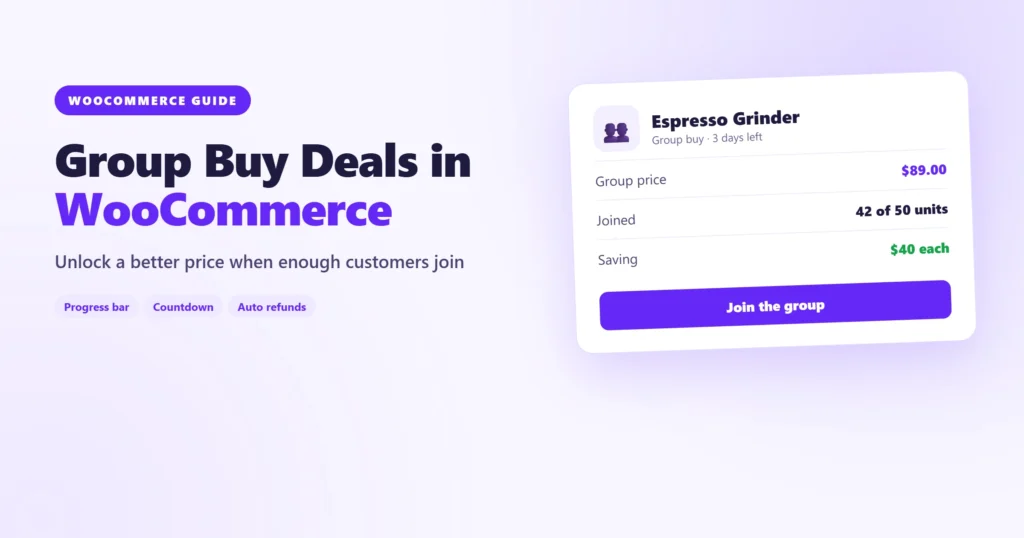
A group buy is a simple deal with a twist: the lower price only unlocks when enough people join. Customers get a real discount, you get a guaranteed volume, and every participant has a reason to share the deal with friends.
It’s a great fit for bulk orders from suppliers, pre-orders for new products, limited production runs and community deals. In this guide you’ll set up a group buy campaign in WooCommerce from start to finish.
How a group buy works
- You set a group price and a goal, for example 50 units at $89 instead of $129.
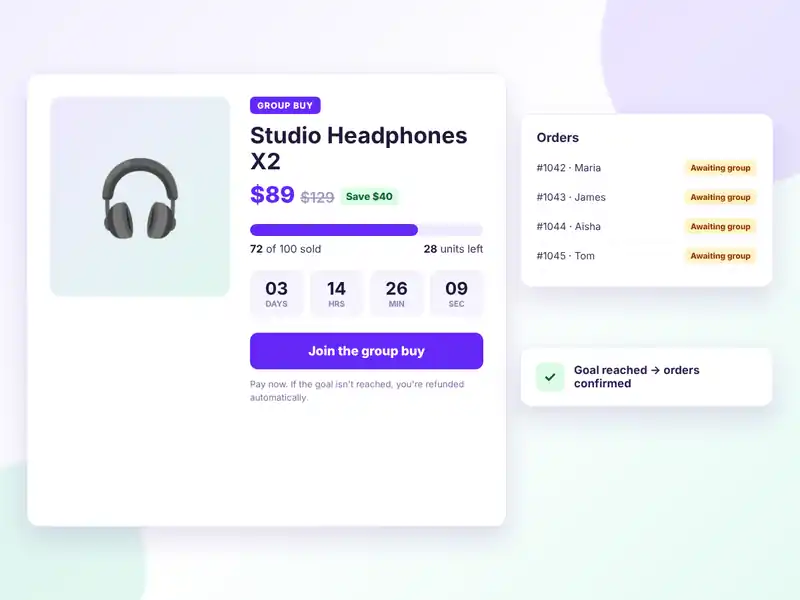
- Customers join by ordering at the group price. Their payment is taken, but the order waits until the campaign closes.
- When the campaign ends:
- Goal reached: orders are completed and shipped.
- Goal missed: orders are refunded automatically.
Because nobody pays the deal price unless the deal happens, customers feel safe joining early.
What you need
WooCommerce doesn’t support group buys on its own. We’ll use Tribuy, a free group buy plugin from WordPress.org that adds a Group buy product type, so campaigns are real WooCommerce products that work with your theme, gateways and shipping.
Step 1: Install Tribuy
Go to Plugins → Add New, search for Tribuy, then install and activate it.
Step 2: Create a group buy product
Create a new product and choose Group buy as the product type. In the Group buy tab, set:
- Group price: the price every participant pays. It’s shown next to the regular price, with the saving.
- Goal: the number of units the group must buy for the deal to go ahead.
- Maximum quantity (optional): a cap, useful when stock is limited.
- Per-customer limits: a minimum and maximum per customer, counted across all their orders.
- Start and end dates: the campaign opens and closes on its own.
Step 3: Show progress and urgency
Group buys sell on momentum. Tribuy shows a progress bar, the units left to reach the goal and a live countdown on the product page, with “Goal reached” and “Ending soon” badges in the shop.
You can also turn on share buttons and a “recently joined” list, so visitors see that real people are buying.
Step 4: Let orders wait for the result
When a customer joins, their order gets an Awaiting group status. Stock is reserved and downloads stay locked, so nothing is shipped or delivered before the campaign closes. Customers can follow every campaign they joined in My Account → Group buys.
Step 5: Complete or refund automatically
When the campaign ends, Tribuy checks the goal:
- Goal reached: orders move on, and you fulfil them as usual.
- Goal missed: payments are refunded through any payment gateway that supports refunds.
You don’t have to touch a single order by hand.
Tips for a successful group buy
- Set a realistic goal. A campaign that hits its goal early builds trust for the next one.
- Make the saving obvious. A clear “Save $40” beats a vague “special price”.
- Keep campaigns short. One to two weeks keeps the urgency high.
- Announce it to your list. Your existing customers are your fastest first participants.
- Share progress. Post updates like “Only 8 units to go!” on social media.
Going further with Tribuy Pro
Tribuy Pro adds tiered pricing, where the price drops further as more people join, plus wholesale and private campaigns, relaunching, waitlists, supplier purchase orders, reports and a REST API.
Wrapping up
A group buy turns a discount into a shared goal. Set a fair group price, a realistic goal and a clear deadline, and let your customers do some of the selling for you.
Download Tribuy free or see the Tribuy plugin page.