FREE POST GRID PLUGIN FOR WORDPRESS

Post Showcase: Show Your Posts in a Clean Grid

Display your latest posts, pages, products or any custom post type in a tidy grid with featured image, title, excerpt and a Read more link. Add one shortcode, set your defaults once, and you’re done. No page builder needed.

✔ Free on WordPress.org ✔ One shortcode ✔ Works with any public post type

Questions? Ask in the support forum
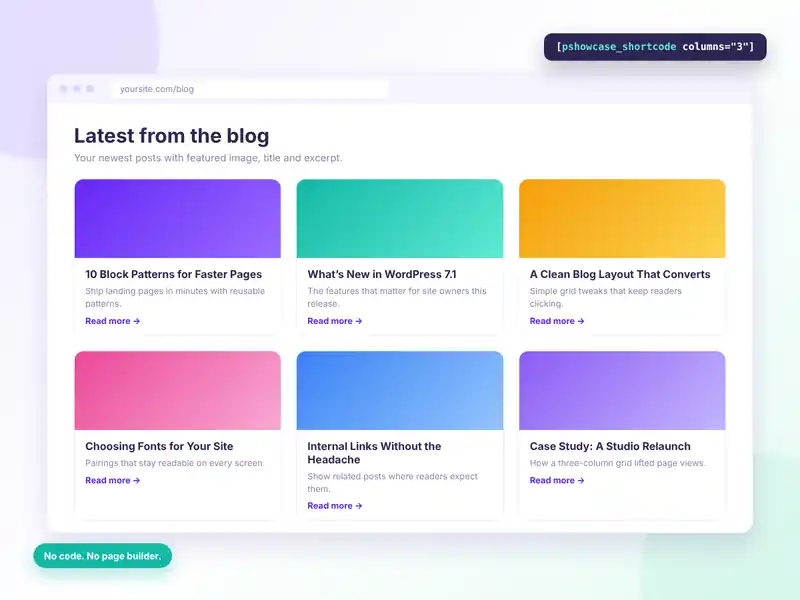
Post Showcase displaying the latest blog posts in a three-column grid with featured images, titles, excerpts and Read more links
FREE FEATURES

Everything you need for a post grid, free

One shortcode, sensible defaults and a short settings page. Post Showcase does one job and keeps your pages light.

One simple shortcode

Paste [pshowcase_shortcode] into any page, post or widget area that accepts shortcodes.

Any public post type

Show blog posts, pages, WooCommerce products or your own custom post type.

Choose how many

Set how many posts appear, from a short row to a full archive section.

Pick your columns

Set the number of grid columns that suits your layout.

Flexible sorting

Order by date, title, menu order, comment count or randomly.

Ascending or descending

Show newest first, oldest first, or flip any sort order.

Excerpt length

Decide how many words of each post to show in the card.

Featured images

Each card shows the post’s featured image, linked to the post.

Read more links

Every excerpt ends with a Read more link to the full post.

Optional heading

Wrap text in the shortcode to add a heading above the grid.

Set defaults once

Save defaults under Settings → Post Showcase and override them per shortcode.

Lightweight

One small stylesheet and no JavaScript, so pages stay fast.

HOW IT WORKS

Your first post grid in two minutes

Install, pick your defaults, paste the shortcode. That’s the whole setup.
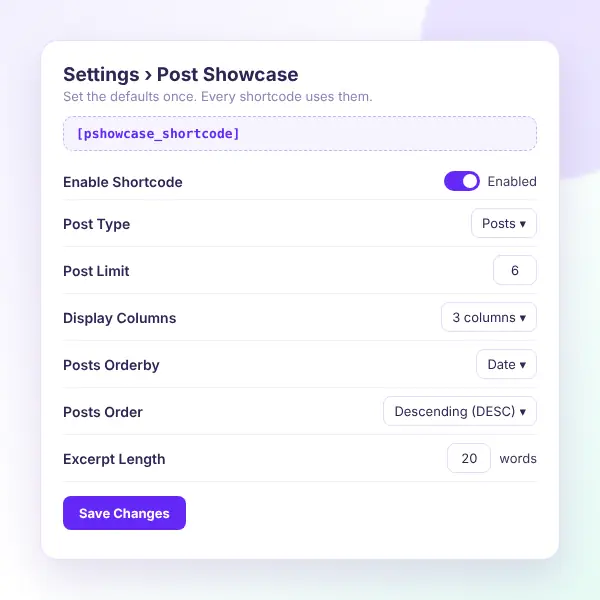
Post Showcase settings: enable shortcode, post type, post limit, display columns, orderby, order and excerpt length
Install the free plugin — search for “Post Showcase” under Plugins → Add New.
Open the settings — go to Settings → Post Showcase.
Choose your defaults — post type, number of posts and columns.
Set the order — sort by date, title, menu order, comments or random.
Paste the shortcode — add [pshowcase_shortcode] to any page or post.
Fine-tune per page — add attributes like columns=”2″ to override defaults.

Want to see it first? Explore the live demo or ask in the support forum.

WHAT YOU GAIN

Better pages with less work

Keep visitors moving to your next post, product or project without building the layout by hand.
Fresh pages automatically

New posts appear in the grid as you publish.

More internal clicks

Visitors find the next post to read.

No page builder

A shortcode instead of a layout tool.

Products & portfolios

Show any public post type, not only posts.

Fits your theme

Cards use your theme’s fonts and colors.

Fast loading

No JavaScript and a tiny stylesheet.

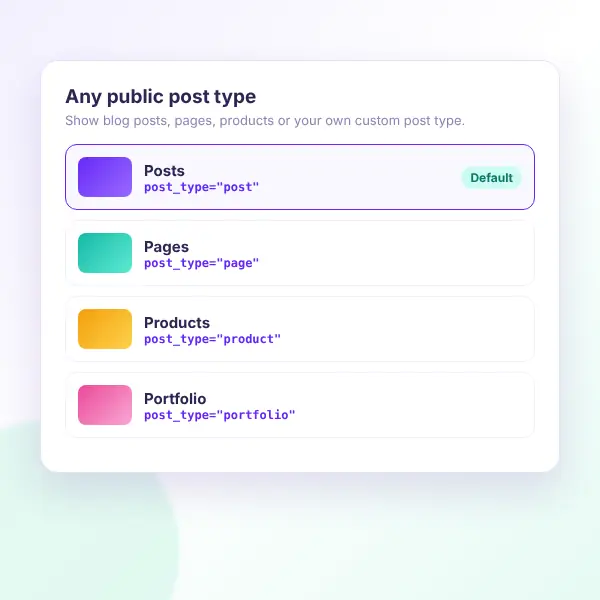
Post Showcase works with any public post type: posts, pages, WooCommerce products or a custom portfolio type
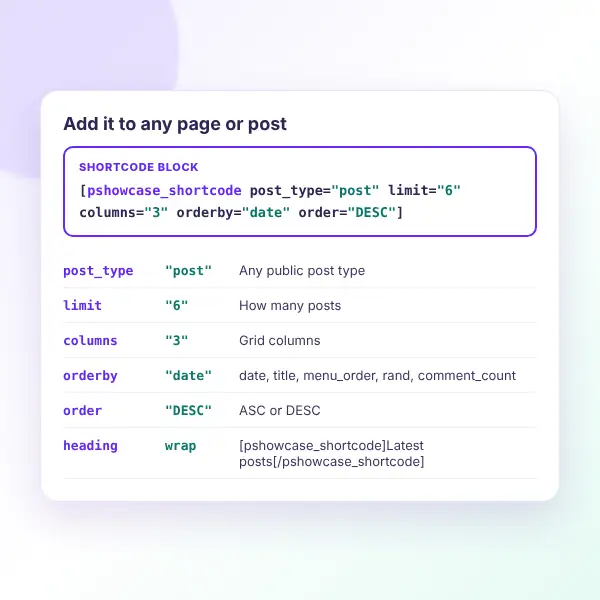
Post Showcase shortcode reference: post_type, limit, columns, orderby, order and an optional heading
SHORTCODE REFERENCE

Shortcode options at a glance

Use the settings page for site-wide defaults, then override any of them on a single shortcode.

post_type

Which post type to show, e.g. “post” or “product”.

limit

How many posts to display. Default 6.

columns

How many grid columns. Default 3.

orderby

date, title, menu_order, rand or comment_count.

order

ASC or DESC. Default DESC.

Heading

[pshowcase_shortcode]Latest posts[/pshowcase_shortcode]

FAQ

Questions, answered

Do you have a question about Post Showcase? See the list below for our most frequently asked questions. If your question is not listed here, then don’t hesitate to get in touch with us.

GET STARTED

Show your best content in a clean grid

Stop building post lists by hand. Install Post Showcase for free, paste one shortcode, and let new posts fill the grid as you publish.

Start free

A simple post grid, free on WordPress.org.

✔ One simple shortcode
✔ Any public post type
✔ Columns, limit & sorting
✔ Excerpt length control
✔ Lightweight, no JavaScript

👀 Try the live demo first

See it in action 👀

Explore a live WordPress site with Post Showcase already set up.

✔ Real post grids
✔ Different column layouts
✔ Sorting examples
✔ Shortcode in use

Shopping Cart
  • Your cart is empty.