
FREE WOOCOMMERCE SMS NOTIFICATIONS PLUGIN

Text Your Customers When Their Order Is Complete

SMS Manager sends an SMS through Twilio the moment a WooCommerce order is marked completed. Write your own message, add order details with placeholders, and send a text by hand from any order.

✔ Free on WordPress.org ✔ Twilio SMS ✔ HPOS ready

Questions? Ask in the support forum
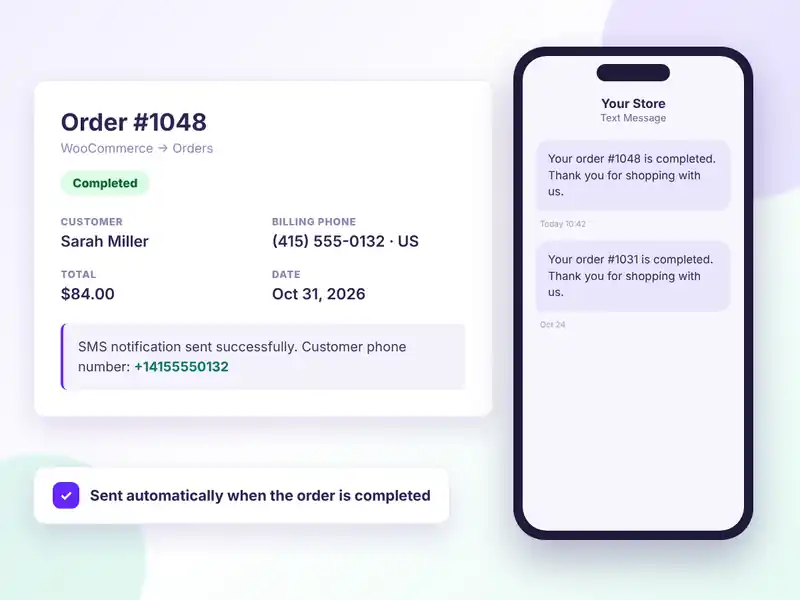
WooCommerce order marked Completed with an SMS sent automatically to the customer phone via SMS Manager
FREE FEATURES

Simple SMS order updates for WooCommerce

Connect Twilio, write one message, and your customers get a text when their order is done.

Automatic SMS on completion

A text goes out as soon as an order status changes to Completed.

Send from the order screen

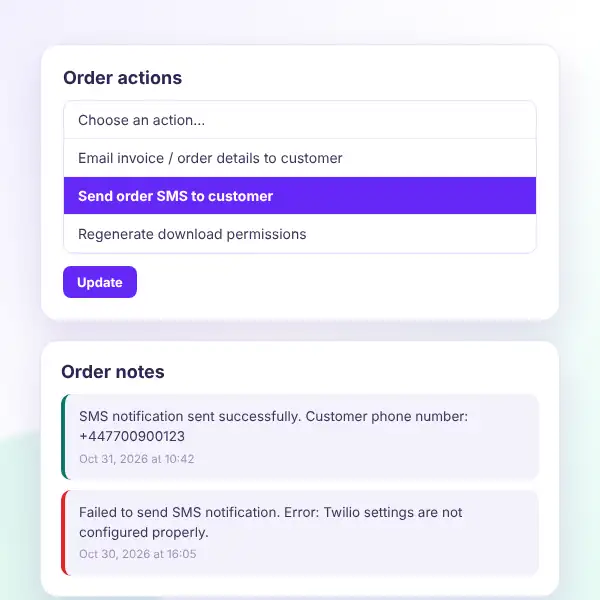
Use the “Send order SMS to customer” order action any time.

Twilio integration

Add your Account SID, Auth Token and Twilio number. That’s it.

Your own message

Write the SMS text in your words, your brand voice.

Order placeholders

Insert order number, status, total and date automatically.

Automatic country code

Local billing numbers get the right calling code from the billing country.

Logged in order notes

Each send adds a note, with the error if Twilio rejects it.

One-click on/off

Turn SMS notifications on or off from the settings page.

HPOS compatible

Declared compatible with WooCommerce High-Performance Order Storage.

Checkout Blocks ready

Works alongside the block-based WooCommerce checkout.

Lightweight

Talks to Twilio through the WordPress HTTP API, with no extra SDK.

Easy setup

One short settings page under Settings → SMS Manager.

HOW IT WORKS

Start sending SMS in five minutes

You need a Twilio account and a Twilio phone number. The plugin does the rest.
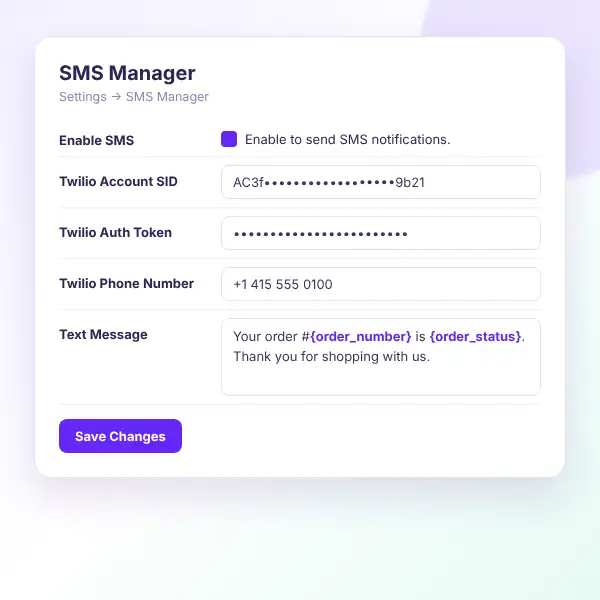
SMS Manager settings: enable SMS, Twilio Account SID, Auth Token, phone number and text message template
Install the free plugin — search for “SMS Manager” under Plugins → Add New.
Open the settings — go to Settings → SMS Manager.
Connect Twilio — paste your Account SID, Auth Token and Twilio phone number.
Write your message — use placeholders like {order_number} and {order_status}.
Enable SMS — tick the box and save your changes.
Complete an order — the customer gets a text, and a note is added to the order.

Want to see it first? Explore the live demo or ask in the support forum.

WHAT YOU GAIN

Keep customers in the loop, without extra work

A short text gets read fast. Let customers know their order is done, and resend it from the order whenever you need to.
Instant updates

Customers hear about their order right away.

Hands-free

No copy and paste into a phone.

Manual resend

Send again from the order actions menu.

Clear history

Order notes show what was sent and when.

International numbers

Calling codes added from the billing country.

Your brand voice

Every message is written by you.

WooCommerce order action Send order SMS to customer, with order notes showing sent and failed results
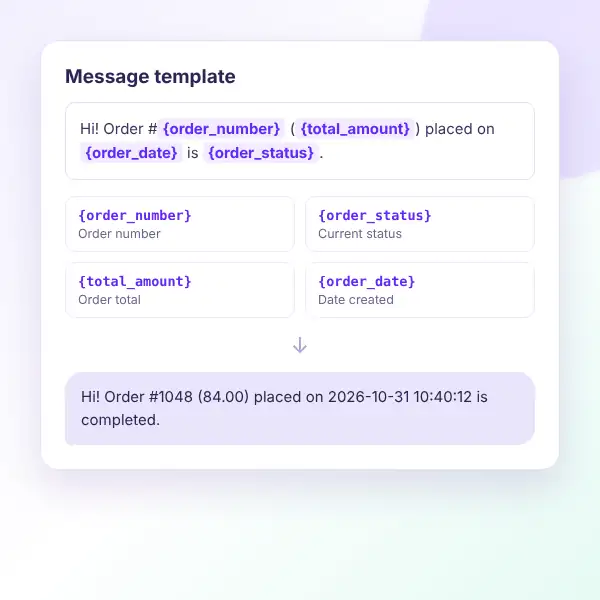
SMS Manager message template placeholders: order number, order status, total amount and order date
MESSAGE PLACEHOLDERS

Personal messages with order details

Add these placeholders to your message. SMS Manager swaps them for the real order details before sending.

{order_number}

The WooCommerce order number.

{order_status}

The current order status, e.g. completed.

{total_amount}

The order total.

{order_date}

The date and time the order was created.

Default message

Your order#{order_number} is {order_status}. Thank you for shopping with us.

Phone format

Numbers starting with + are sent as entered.

FAQ

Questions, answered

Do you have a question about SMS Manager? See the list below for our most frequently asked questions. If your question is not listed here, then don’t hesitate to get in touch with us.

GET STARTED

Send your first order SMS today

Install SMS Manager for free, connect your Twilio account, and let customers get a text the moment their order is completed.

Start free

SMS order notifications for WooCommerce, free on WordPress.org.

✔ Automatic SMS on completed orders
✔ Manual send from any order
✔ Custom message with placeholders
✔ Automatic country calling codes
✔ HPOS & Checkout Blocks ready

👀 Try the live demo first

See it in action 👀

Explore a live WooCommerce store with SMS Manager already set up.

✔ The settings page
✔ The order SMS action
✔ Order notes after sending
✔ Message placeholders

Shopping Cart
  • Your cart is empty.