
WordPress core gives you paragraphs, headings, images, columns, and buttons. That’s enough to write a post. It is nowhere near enough to build a real website.
The moment you need a pricing table, an FAQ section, a testimonial slider, or a countdown timer, you hit a wall. And for years the only way past that wall was a page builder — a large plugin that loads its own scripts on every page, wraps your content in its own markup, and becomes something you can never remove without rebuilding your site.
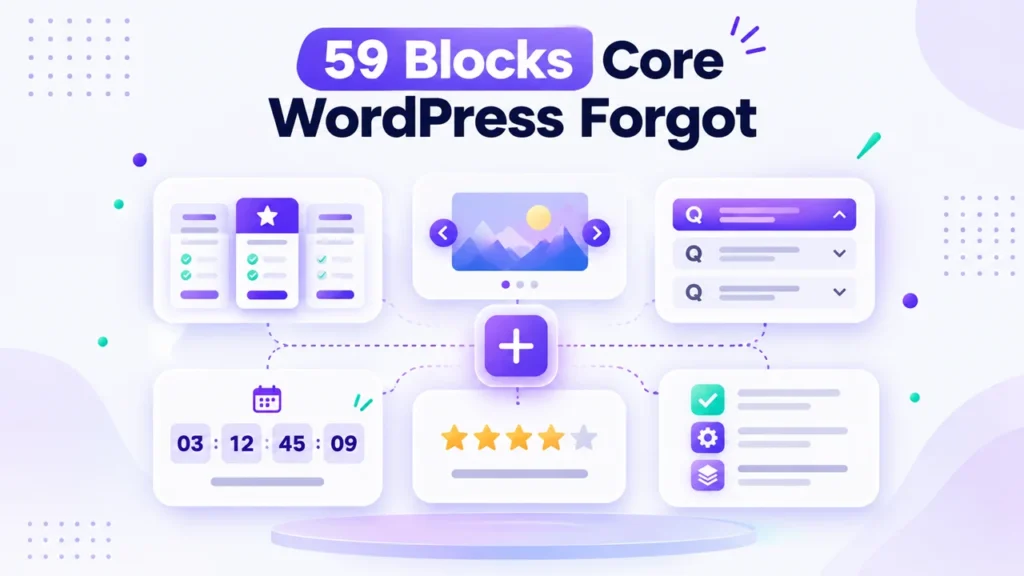
There’s a lighter way. Bloqra adds the blocks core WordPress is missing, directly inside the block editor you already use. 38 blocks free, 59 with Pro.
Not a Page Builder. The Blocks Core Forgot.
The distinction matters. Bloqra doesn’t replace the WordPress editor with its own interface. Every Bloqra block is a native Gutenberg block, inserted from the normal block inserter, styled with the normal block controls, and saved as standard WordPress markup.
That means no proprietary shortcodes wrapping your content, no separate builder to learn, and nothing that holds your pages hostage if you ever switch away.
What You Get
Layout and structure. The Advanced Container block does what core’s Group block can’t: image and video backgrounds with focal point control, fixed and repeated modes, duotone filters, colour and gradient overlays with adjustable opacity, nine-position content placement, and shape dividers. Add Tabs, Shape Divider, and a Slider that turns any blocks into slides, and you can build full-page sections natively.
Content and information. Accordion, FAQ, Steps, Timeline, Table of Contents, Advanced Table (sortable, searchable, and it stacks into labelled cards on mobile), and Comparison Table with per-cell check and cross marks plus a badge for your recommended column.
Conversion. Pricing Table, Countdown Timer, Coupon Code with one-click copy and click-to-reveal, Content Switcher for monthly/yearly pricing toggles, Testimonial and Testimonial Carousel, and Star Rating. Most block plugins put exactly these behind a paywall. They’re in the free version.
Visual and interactive. Icon Box, Image Box, Flip Box, Interactive Card, Filterable Gallery, Masonry Gallery, Image Hotspots, Number Counter, Progress Bar, Device Mockup, Lottie Animation, QR Code, Team Member, Social Share, and 1,900+ Lucide icons.
Four Things That Make Bloqra Different
1. It works without JavaScript. This is unusual, and it’s deliberate. The Slider uses native CSS scroll-snapping, so touch swiping works even with JavaScript disabled. The FAQ block is built on the native details element. Image Hotspots show their tooltips on hover, tap, and keyboard focus with no JavaScript at all. QR codes render as SVG that works in RSS, in print, and with scripts off. Your content stays usable when something fails to load.
2. Nothing calls out to a CDN. The Lottie renderer is bundled, not loaded from a third party. QR codes are generated in the editor, not fetched from an external service. Device frames are pure CSS with no images. Nothing in Bloqra makes outbound requests, which improves privacy, speed, and reliability.
3. It edits like core. Advanced Table and Comparison Table are edited exactly like the core Table block. Masonry Gallery manages images exactly like the core Gallery. The Icon List behaves like the core List block — press Enter for a new item. You can also select existing blocks and transform them into a Slider in one click. You’ll learn almost nothing new.
4. It’s built for search. The FAQ block outputs FAQPage structured data and the Steps block outputs HowTo data, both of which make your pages eligible for rich results — without a separate schema plugin.
Free vs Pro
The free version is not a teaser. All 38 blocks listed above are free on WordPress.org, including the conversion blocks most competitors gate. Bloqra Pro takes the total to 59 blocks for sites that need the full set.
There’s also a free Bloqra block theme — a full site editing theme with five style variations and pre-designed homepage, blog, about, and contact layouts — if you want a matching foundation to build on.
🎃 60% Off Until November 5th
Bloqra Pro is included in our Halloween sale: flat 60% off with code SPOOKY60, on yearly and lifetime plans alike, until November 05, 2026, 11:59 PM. Every purchase is covered by our 14-day money-back guarantee.
If you want more than one of our plugins, the All Access Bundle gives you every Pro plugin we make, plus every future release, under one licence — and with SPOOKY60, it’s the biggest saving of the season.
Getting Started
Install Bloqra from Plugins → Add New Plugin, and the blocks appear in your inserter alongside the core ones. There’s no setup wizard, no account, and no configuration — add a block and start building.
Frequently Asked Questions
No. Bloqra adds native Gutenberg blocks to the WordPress block editor rather than replacing it with a separate interface. Your content is saved as standard WordPress markup, not proprietary shortcodes.
38 blocks are free on WordPress.org, including layout, content, conversion, and interactive blocks. Bloqra Pro brings the total to 59.
Bloqra is built to stay lightweight. It loads no external resources, bundles its own animation renderer rather than pulling from a CDN, and several blocks work without JavaScript entirely.
Yes. Bloqra blocks work with block themes and classic themes alike, and inherit your theme’s colours and typography through the block editor’s standard controls.
Because blocks save as standard WordPress markup rather than shortcodes, your content remains readable. This differs from page builders, which typically leave shortcode fragments behind.
Yes. The FAQ block outputs FAQPage structured data and the Steps block outputs HowTo structured data, making those sections eligible for rich results in search.
Build With Blocks, Not Around Them
If you build in the block editor, your design tools should live there too. Bloqra gives you the blocks core WordPress left out, without a builder you can never uninstall.
Get Bloqra free on WordPress.org, or upgrade to Pro with SPOOKY60 for 60% off before November 05.