Not every customer wants to pay by card the moment they hit checkout. If you sell to other businesses, wholesale buyers, schools, or repeat clients, you’ve probably run into this: they want to place the order now and pay by invoice afterward, on their own terms.
Standard WooCommerce isn’t built for that. It nudges everyone toward paying upfront with a card or PayPal, which works fine for typical retail customers but quietly costs you the larger B2B and wholesale orders, the ones where the buyer expects to be invoiced. So those orders end up handled manually over email, or they don’t happen at all.
There’s a cleaner way. In this guide, we’ll show you how to add a pay-by-invoice option to your WooCommerce checkout using our free Invoice Payment plugin, so business customers can order now and pay on invoice without you doing anything by hand.
Why Offer Pay-by-Invoice?
Adding an invoice payment method opens your store up to a whole category of customers who don’t buy the way retail shoppers do:
- You win B2B and wholesale orders. Businesses routinely buy on invoice and pay later. Without that option, you’re asking them to shop in a way they don’t operate.
- Order values go up. Invoice-based buyers tend to place larger, recurring orders than typical retail customers.
- It feels professional. Offering proper invoice terms signals that you’re set up to work with serious business clients.
- Less friction for trusted customers. Your repeat buyers and approved accounts can check out quickly without re-entering card details every time.
- Fewer manual workarounds. Instead of taking these orders over email and tracking them in a spreadsheet, they flow through WooCommerce like any other order.
WooCommerce handles immediate card and PayPal payments well, but it has no built-in path for “order now, pay by invoice.” That’s the gap Invoice Payment fills.
Meet Invoice Payment for WooCommerce
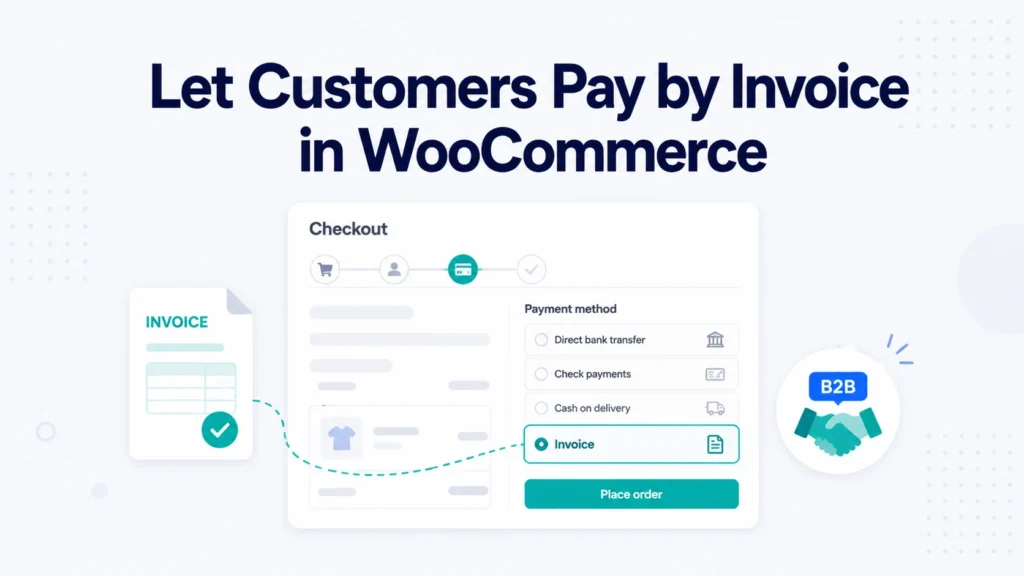
Invoice Payment is a free WooCommerce payment gateway that adds an Invoice option to your checkout. When it’s enabled, eligible customers can choose to pay by invoice instead of paying immediately. The order is placed through your normal WooCommerce flow, and you collect payment on your own terms afterward.
It’s straightforward to set up, the invoice settings are customizable to fit how you work, and it integrates directly with WooCommerce. Here’s how to turn it on.
Step 1: Install the Plugin
Make sure WooCommerce is installed and active first. Then, in your WordPress dashboard, go to Plugins → Add New Plugin, search for Invoice Payment, and click Install Now followed by Activate.
Step 2: Enable the Invoice Payment Method
Head to WooCommerce → Settings → Payments. You’ll see Invoice Payment listed among your available payment methods. Click to configure it, enable it, and save. That’s what makes the Invoice option appear at checkout.
Step 3: Customize Your Invoice Settings
Within the payment method’s settings, configure it to match how your business handles invoicing. Set the title and description your customers see at checkout so it’s clear what choosing “Invoice” means, for example, that they’ll be invoiced and expected to pay within your stated terms. Save your changes when you’re done.
Step 4: How Customers Use It
From now on, when a customer reaches checkout, they’ll see Invoice as a payment option alongside your others. If they select it and place the order, the order is recorded in WooCommerce and you fulfill it according to your arrangement, then collect payment on invoice.
That’s the whole flow. No manual order entry, no off-site tracking, just a proper invoice option built into your store.
A Quick Best-Practice Note
Pay-by-invoice means the customer pays after they receive the order rather than before, so there’s a bit of trust involved. A few sensible habits keep it working smoothly:
- Offer it to customers you trust. Many stores reserve invoice payment for approved business accounts or repeat buyers rather than every first-time visitor.
- State your terms clearly. Spell out the payment window (for example, due within 14 or 30 days) in the method description so there’s no confusion.
- Keep track of what’s outstanding. Treat invoice orders like accounts receivable and follow up promptly on anything unpaid.
Used this way, invoice payment is a powerful tool for serving business customers without taking on unnecessary risk.
Who It’s For
Invoice Payment is a strong fit for stores that sell to:
- Other businesses (B2B) that expect to be invoiced
- Wholesale buyers placing larger, recurring orders
- Agencies, schools, and organizations that purchase on terms or via purchase orders
- Trusted repeat customers you want to give a faster, account-style checkout
If part of your customer base buys like a business rather than a retail shopper, this gives them the checkout they expect.
Free Plugin, and Custom Needs
Everything described here is available in the free version of Invoice Payment. If your store needs a more advanced setup, such as restricting invoice payment to specific customer roles or building custom B2B workflows, our team can help. You can learn more on our WooCommerce development services page.
Frequently Asked Questions
Not really. WooCommerce focuses on immediate payment methods like cards and PayPal. To let customers place an order and pay by invoice afterward, you need a plugin like Invoice Payment that adds an invoice option to checkout.
Once you enable the Invoice Payment method, customers see an Invoice option at checkout. They select it and place their order, the order is recorded in WooCommerce, and you collect payment on invoice according to your terms.
Yes. Invoice Payment is free on WordPress.org and adds a working invoice payment gateway to your WooCommerce store.
Yes. You can set the payment method’s title and description, so you can explain your invoice terms and make it clear what choosing Invoice involves.
That’s up to you, but many stores limit it to trusted or approved business customers, since invoice payment means the customer pays after receiving the order. Stating clear payment terms and following up on unpaid invoices is good practice.
Yes. The plugin is built for WooCommerce and is kept compatible with current WooCommerce and WordPress versions.
Get Started Today
If business customers are part of your store’s future, giving them a proper way to pay by invoice removes friction and opens the door to larger orders. With Invoice Payment, you can add that option in just a few minutes.
Download Invoice Payment free and offer invoice checkout on your store today. If it helps you win more business, a quick review on WordPress.org helps other store owners discover it too.