
FREE FEATURED IMAGE GENERATOR FOR WORDPRESS

Never Publish a Post Without a Featured Image

Thumbnail Image Generator creates a clean featured image from your post title the moment you save. Pick your brand colors, size and overlay images once, and every new post gets a matching thumbnail. No design tools, no API keys.

✔ Free on WordPress.org ✔ Works on save ✔ No API keys

Questions? Ask in the support forum
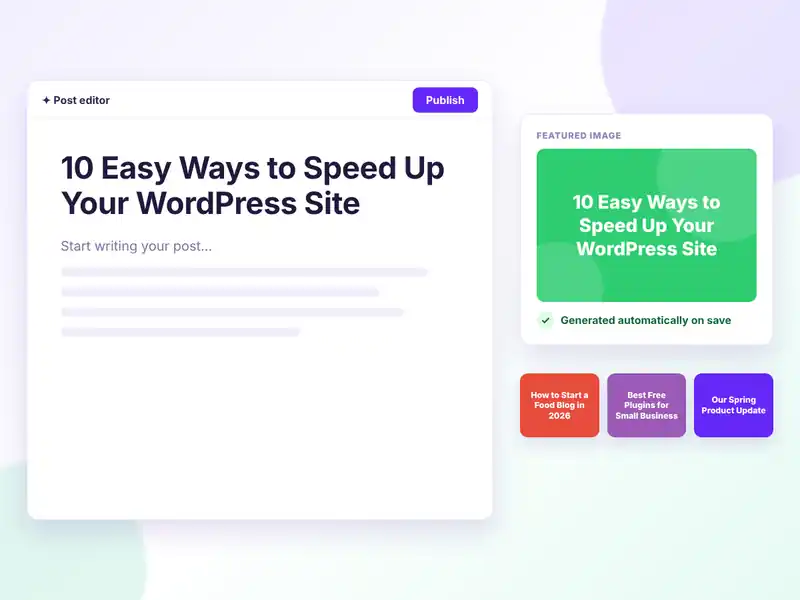
Thumbnail Image Generator creates a featured image from the post title automatically when a WordPress post is saved
FREE FEATURES

Branded thumbnails for every post, on autopilot

Set your style once. The plugin takes care of the rest every time you save.

Automatic on save

A featured image is created as soon as you save a post.

Built from your title

The post title becomes clear, centered text on the image.

Your brand colors

Add several colors and one is picked at random for variety.

Custom size

Set width and height in pixels. 1200 × 800 by default.

Title font size

Make the headline as big or small as you like.

Text color

Choose a text color that fits your background colors.

Overlay images

Upload transparent PNGs. One is picked at random for each post.

9 overlay positions

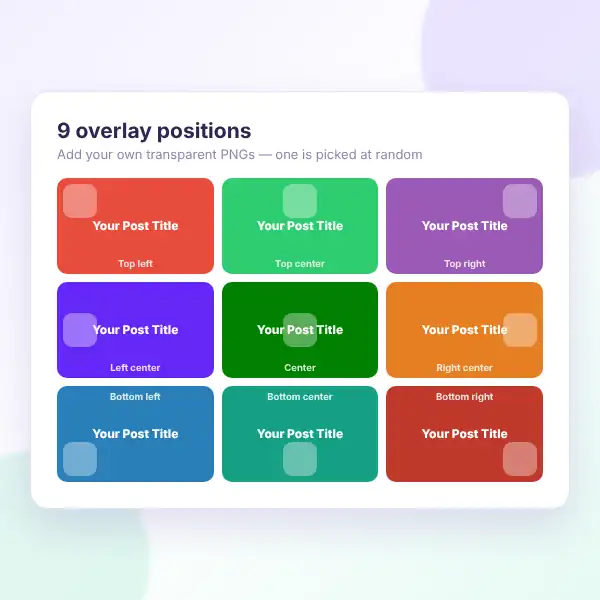
Place overlays in any corner, edge or the center.

Live preview

See exactly how thumbnails will look before you save.

Posts and pages

On for posts by default. Turn it on for pages too.

Never overwrites

Posts that already have a featured image are left alone.

Saved to your library

Images are real PNG files in your Media Library.

HOW IT WORKS

Set up your thumbnail style in two minutes

Everything lives under Thumbnail Image in your WordPress dashboard.
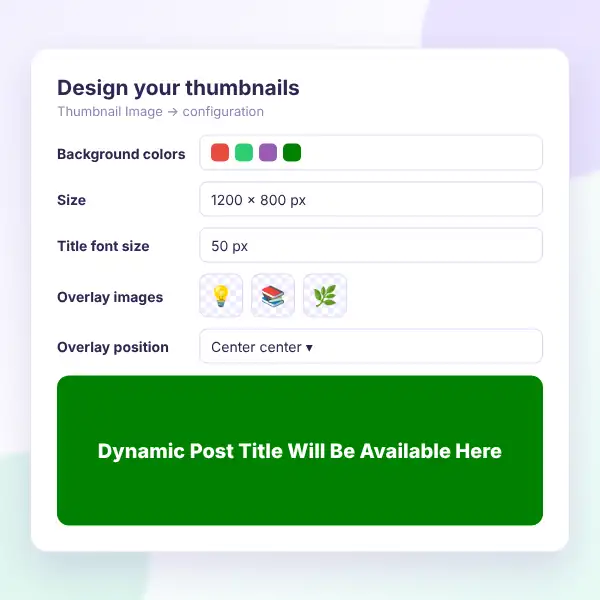
Thumbnail Image Generator settings: background colors, image size, title font size, overlay images, overlay position and live preview
Install the free plugin — search for “Thumbnail Image Generator” under Plugins → Add New.
Add your colors — enter one or more background colors, separated by commas.
Set the size — choose width, height and the title font size.
Add overlays (optional) — upload transparent PNGs and pick their position.
Check the preview — save to see a sample thumbnail with your settings.
Write and save — every new post without an image gets one automatically.

Want to see it first? Open the live demo or ask in the support forum.

WHAT YOU GAIN

Save time on every single post

Posts without a featured image look broken in blog grids, search results and social shares. Thumbnail Image Generator fills the gap the moment you hit save.
No design work

Skip Canva for everyday posts.

Consistent look

Every thumbnail follows your style.

Better social shares

Posts always have an image to show.

Fuller blog grids

No more empty image boxes.

No API keys

Images are made on your own server.

Your own files

PNGs stay in your Media Library.

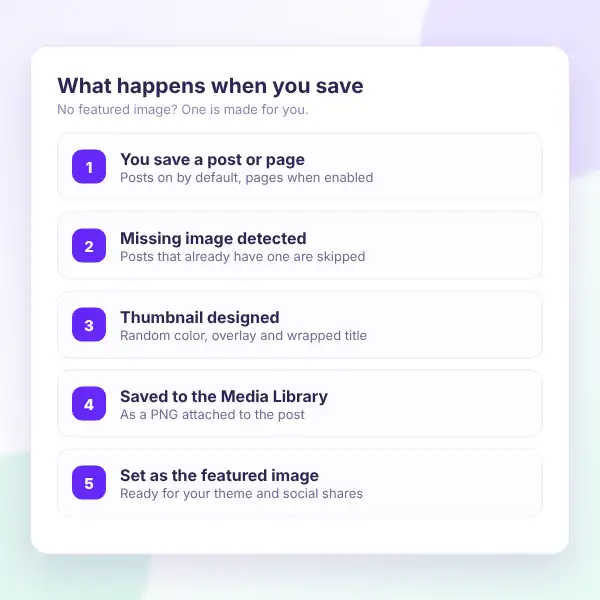
How Thumbnail Image Generator works: save a post, missing image detected, thumbnail designed, saved to Media Library, set as featured image
Thumbnail Image Generator overlay image positions: top, center and bottom in left, center and right alignments
DESIGN OPTIONS

Make thumbnails that match your brand

Mix colors, fonts and overlay graphics so your auto-generated images feel designed, not generic.

Random color palette

Rotate through your brand colors.

Transparent overlays

Add icons, shapes or your logo.

9 positions

Corners, edges or center.

Auto-wrapped titles

Long titles wrap and stay centered.

Any size

Fit your theme and social cards.

Live preview

Check the result before you publish.

FAQ

Questions, answered

Do you have a question about Thumbnail Image Generator? See the list below for our most frequently asked questions. If your question is not listed here, then don’t hesitate to get in touch with us.

GET STARTED

Give every post a featured image

Stop publishing posts with empty image boxes. Install Thumbnail Image Generator for free and let every new post get a branded thumbnail.

Start free

An automatic featured image generator, free on WordPress.org.

✔ Featured images on save
✔ Brand colors & overlays
✔ Custom size & font size
✔ Posts and pages
✔ No API keys needed

👀 Try the live demo first

See it in action 👀

Explore the settings and generated thumbnails on our live demo site.

✔ Thumbnail settings
✔ Overlay images
✔ Live preview
✔ Generated featured images

Shopping Cart
  • Your cart is empty.