FREE LIGHTWEIGHT TOOLKIT FOR WORDPRESS

Essential Elements: Must-Have Site Features in One Plugin

Scroll to top, a reading progress bar, reading time and a branded scroll bar, all in one lightweight plugin. Switch each module on or off from one screen. A module you leave off loads nothing at all.

✔ Free on WordPress.org ✔ No jQuery, no tracking ✔ Block & classic themes

👀 Try the live demo · Need help? Read the Documentation
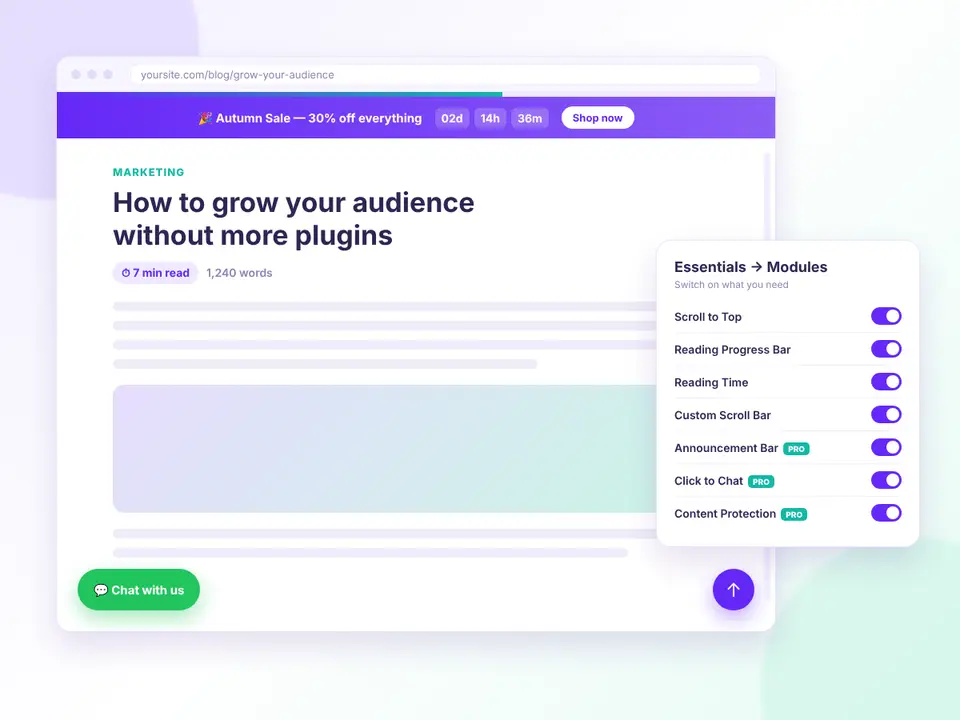
Essential Elements modules on a WordPress blog post: announcement bar, reading progress, reading time, chat and scroll to top
FREE FEATURES

Four polished modules, free

The small features most sites end up needing, without installing, updating and debugging a separate plugin for each one.

Scroll to Top button

Bottom left or right, four icon presets, three shapes, custom size and colors, and a “show after” scroll distance.

Reading Progress Bar

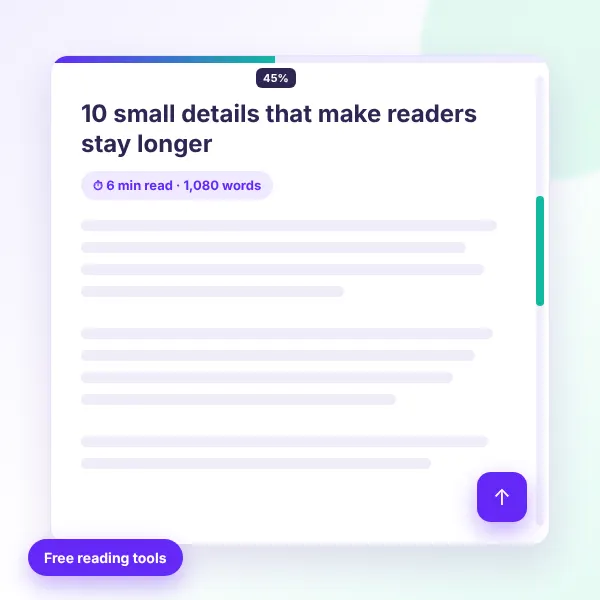
A top or bottom bar showing how far visitors have read, with custom thickness, color, gradient and a percentage label.

Reading Time

“1,240 words, 7 minutes read time” before or after your content, in a long or short format.

Reading Time block & shortcode

Show it in blog, archive and search listings, with the [esse_reading_time] shortcode or a block inside a Query Loop.

Custom Scroll Bar

Match the browser scroll bar to your brand: track, thumb and hover colors, width, radius and a live preview.

Accurate in every language

Word counting works with Bengali, Hindi, Arabic, Chinese, Japanese and every other script.

One module dashboard

Switch modules on and off from Essentials → Modules, and filter them by category.

Accessible by default

Real keyboard-focusable buttons, screen-reader labels and respect for “reduce motion”.

Admin-bar aware

A top progress bar sits below the WordPress admin bar when you’re logged in, so it never hides.

Import & export

Move every enabled module and its settings to another site in one JSON file.

Clean uninstall

Keep your settings by default, or remove everything on uninstall with one option.

Developer friendly

Register your own modules, add settings fields and filter any module’s markup.

HOW IT WORKS

Set up in two minutes

All modules start switched off, so nothing appears on your site until you choose it.
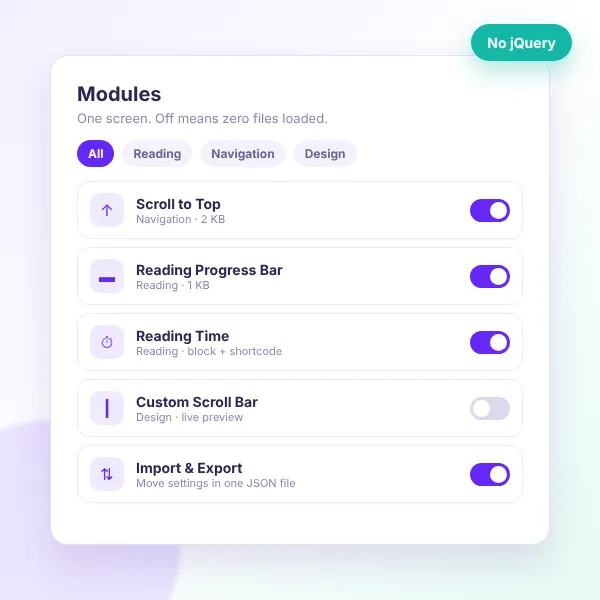
Essential Elements module dashboard with on/off toggles
Install the free plugin — search for “Essential Elements” under Plugins → Add New.
Open Essentials → Modules — every feature is listed on one screen.
Switch on what you need — Scroll to Top, Reading Progress, Reading Time or Custom Scroll Bar.
Match your brand — set colors, positions and sizes on each module’s settings page.
Place Reading Time anywhere — automatically, with the block, or with the shortcode.
Copy your setup — export settings and import them on your next site.

Want to see it first? Explore the live demo or read the documentation.

WHAT YOU GAIN

Real results from day one

Fewer plugins to manage, a faster site, and small touches your visitors actually notice.
One plugin instead of many

Fewer plugins to install, update and keep compatible.

A faster site

Disabled modules load no files, and enabled ones skip jQuery.

Readers who stay longer

Visitors see how long a post takes and how far they’ve come.

Easier navigation

Long pages are easier to get around on desktop and mobile.

Brand colors everywhere

Your colors carry right down to the scroll bar.

Privacy-first

No tracking, no cookies and no external requests.

Reading progress bar, reading time, custom scroll bar and scroll to top
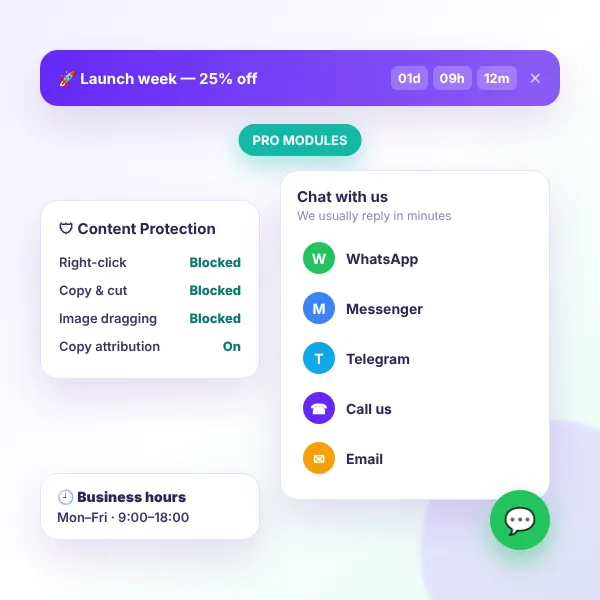
Essential Elements Pro announcement bar, click to chat and content protection
UPGRADE TO PRO

Turn visitors into customers with Pro

Keep everything in the free plugin and add three marketing modules. Essential Elements Pro adds them to the same Modules screen, using the same settings pages.

Announcement Bar

A sticky notice bar with a call-to-action button.

Live countdown

Schedule sales and launches with a countdown timer.

Click to Chat

WhatsApp, Messenger, Telegram, phone, SMS and email.

Business hours

Show chat only when you’re available.

Content Protection

Block right-click, copy and image dragging.

Page & device targeting

Show modules exactly where they convert.

FAQ

Questions, answered

Do you have a question about Essential Elements? See the list below for our most frequently asked questions. If your question is not listed here, then don’t hesitate to get in touch with us.

GET STARTED

Add the essentials, skip the plugin pile

Start with four free modules today, and switch on Pro when you want sales banners, chat buttons and content protection.

Start free

A lightweight site toolkit, free on WordPress.org.

✔ Scroll to Top button
✔ Reading Progress Bar
✔ Reading Time block & shortcode
✔ Custom Scroll Bar
✔ Import & export settings

👀 Try the live demo first

Ready to convert? Go Pro 🚀

Keep everything in the free plugin and add the modules that turn visitors into customers.

✔ Announcement Bar with countdown
✔ Click to Chat (WhatsApp & more)
✔ Business hours scheduling
✔ Content Protection
✔ Page & device targeting

Shopping Cart
  • Your cart is empty.